The Modern Video Editing Workflow That Actually Ships
A field guide to the 2026 video editing stack: from import to publish, the steps and tools that turn raw footage into reels, longform, and ads without burning out.
The old workflow is too slow
Five years ago, a respectable post production workflow looked like this: ingest, organize, log, rough cut, fine cut, color, sound, graphics, mastering, export. It was linear, deliberate, and slow. For weekly content teams in 2026, it is also a great way to ship one video a month and burn out your editor in the process.
The modern workflow is parallel, transcript first, and AI augmented. Here is how the best teams in our network are working.
Step 1: import with a naming convention
Every clip lands with a structured name. We use {shoot date}-{camera}-{take}, for example 260114-A-005. Boring, but it makes search and conform later trivial.
Step 2: transcript first, not timeline first
Before you touch the timeline, transcribe everything. Whisper based tools or a panel like Ask AI generate transcripts in minutes. You then read for the story before you watch for the cuts.
Reading is faster than watching. You spot the moments, the pull quotes, and the dead zones in ten percent of the time it takes to scrub.
Step 3: rough cut from the transcript
Highlight the lines you want, then send them to the timeline. The rough cut writes itself. From here you have a sequence that is 80 percent the right shape, and you spend the next pass on rhythm.
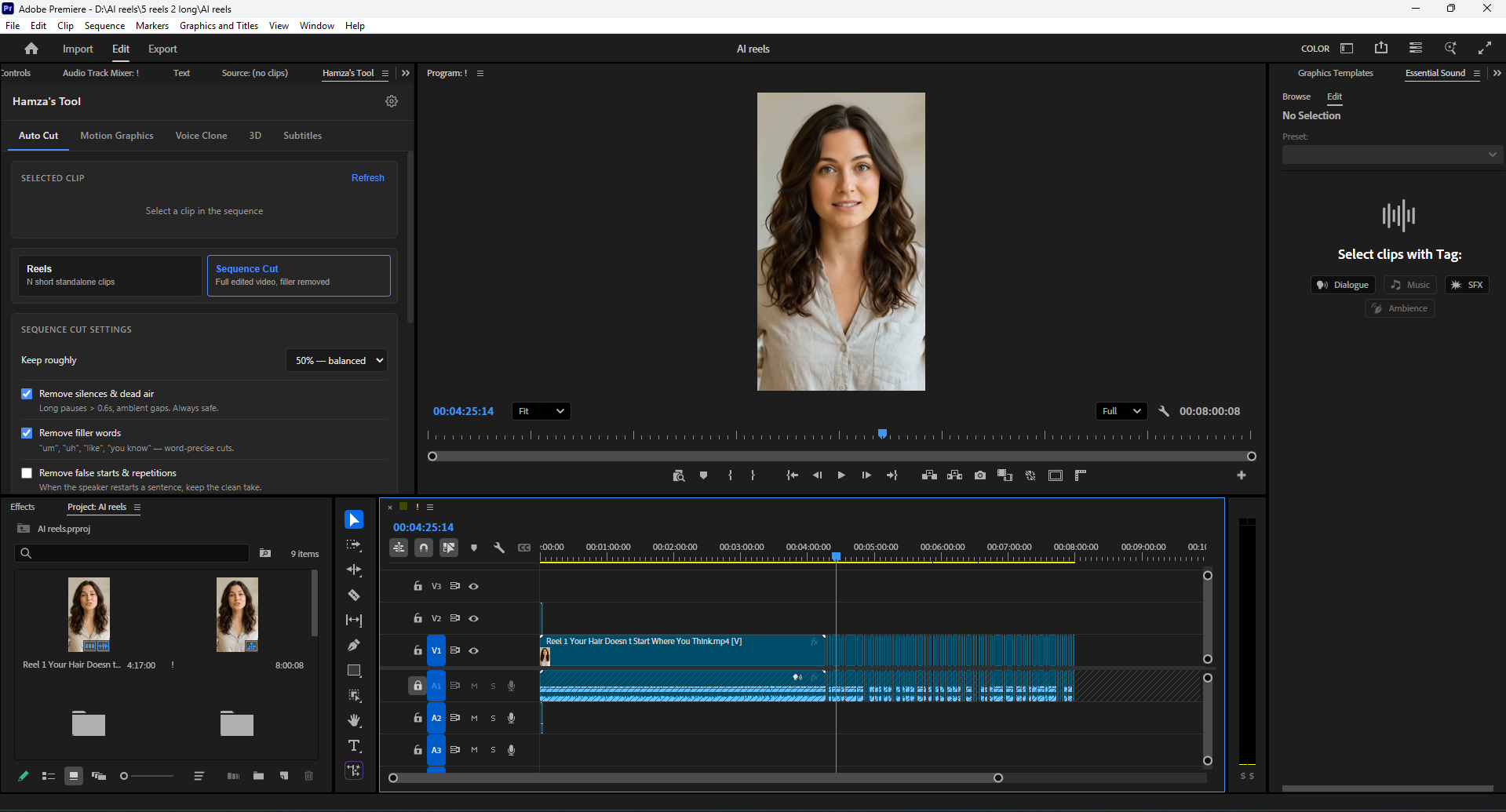
Step 4: silence and filler removal
Run a silence and filler removal pass on the whole sequence. Targets: silences over six tenths of a second, and the standard "um, uh, like, you know" set. The sequence tightens by 15 to 35 percent depending on the speaker.
Step 5: B roll and graphics
This is the only step where the AI should not be in the driver's seat. B roll is a creative choice. The AI can suggest, but you decide.
For graphics, a templated motion graphics kit cuts hours. Build it once, reuse on every project. Brand colors, fonts, three lower third variants, two callout boxes, one title sequence. That is the kit.
Step 6: color, in two passes
Pass one: normalize. Match shots, fix exposure, set white balance. Use a LUT only if you genuinely understand it.
Pass two: grade. The look of the piece. Subtle, consistent, recognizable. If a viewer notices the color, you have probably gone too far.
Step 7: sound, the most underrated step
Dialogue first, then music, then SFX. Compress dialogue to a -16 LUFS average for podcasts, -14 LUFS for short form social. Music sits at -28 LUFS under dialogue, -18 LUFS during transitions.
Loudness is the single biggest reason a polished video feels amateur. Get this right and ninety percent of the "is it pro" question is answered.
Step 8: export for every destination
You almost never export one master. You export:
- A 9:16 vertical for TikTok, Reels, and Shorts.
- A 1:1 square for Instagram feed and LinkedIn.
- A 16:9 horizontal for YouTube and X.
- A captioned vertical for autoplay environments.
Build an export queue once, save as a preset, and never click those checkboxes manually again.
Step 9: deliver and log
Drop finished files into the client folder. Update a single sheet with title, duration, format, and date. The log is what makes year end reviews and case studies possible.
Stop reinventing the wheel
The workflow is the asset. Document it, hand it to the next editor, and protect it from feature creep. The teams that ship weekly are the teams that boring their process until it runs itself.
If you want our full Premiere project template plus the motion kit, get in touch. We share it on request.
Have a project that needs this?
Tell us what you are building. We reply within 24 hours.
The service behind this
Video Editing
Editing produced at volume without looking produced at volume. Vertical first, because that is where the attention is, with longform and motion when the story needs it.